QuickBooks Online: Proven Strategies for Success

Even if you’ve been using QuickBooks Online for a long time, it’s good to step back and evaluate your actions.
“Best practices” aren’t enforceable rules. They’re simply guidelines businesses commonly follow in one area or another. If you’re in retail, for example, one best practice might be to always ask customers who are checking out if they found everything they were looking for. This serves two purposes: It conveys a feeling of concern for the customer’s shopping experience, and it may also lead to increased sales.
QuickBooks best practices also include regularly reconciling accounts, categorizing transactions daily, using features like automated invoicing, enforcing security measures, and regularly reviewing financial reports. Some of which may serve multiple purposes, including:
- They keep your company data safe and clean.
- They provide insight into your financial status.
- They save time.
- They can lead you to better relationships with customers and vendors.
Implementing these habits helps ensure accuracy, improves efficiency, and provides a clearer picture of your business's financial health.
Security and Access
Never leave QuickBooks Online open when you leave your work area.
- Secure Your Computer and Network: Keep the computer running QuickBooks in a secure environment and protect systems from electronic intrusion.
- Limit User Access: Grant access to QuickBooks only to those who need it and give each user their own unique credentials.
- Assign User Permissions: Do not give all users full access; instead, assign appropriate permissions based on their roles.
- Use Multi-factor Authentication: Add an extra layer of security by enabling two-factor authentication.
Data Entry and Management
- Categorize Transactions Daily: Process and categorize transactions every day to prevent a large, time-consuming backlog.
- Keep Track of 1099 Vendors: If you think vendors might need 1099s when you create their records, click in the box to the left of Track payments for 1099.
- Add Vendors for Every Expense: When entering a check, be sure to assign a vendor to avoid issues with 1099 forms later.
- Clean up Your Lists: Lists of customers and vendors, products and services can grow unwieldy over the years. This means it can take more time than it should to scroll through lists when you’re using those entities in transactions. If you can’t delete any, at least make them inactive.
Regular Reporting and Reconciliation
- Reconcile Bank and Credit Card Accounts Monthly: Perform regular reconciliations to catch errors and ensure the accuracy of your accounts.
- Run Weekly Aging Reports: Run accounts receivable and accounts payable aging reports weekly to see who owes you money and which bills you need to pay.
- Review Financial Reports Monthly: Regularly review key financial statements like the Profit and Loss statement and Balance Sheet to understand your business's performance.
- Close the Books Monthly: Close out each month's books to maintain a clean and accurate financial record.
Invoicing and Payments
- Send Invoices Promptly: Create and send invoices as soon as possible after a sale is made.
- Customize Invoices: Use QuickBooks' tools to create professional-looking invoices.
- Set up Automated Payments: Schedule recurring invoices for clients on retainer and set up automatic late payment reminders.
- Offer Convenient Payment Options: Sign up for QuickBooks Payments to accept credit/debit cards and bank payments.
Hopefully these best practices will become good habits and have been helpful as we close out this year. As always, if you need additional guidance, please reach out to a member of our team.
SOFTWARE SPOTLIGHT
QuickBooks Accounting Services
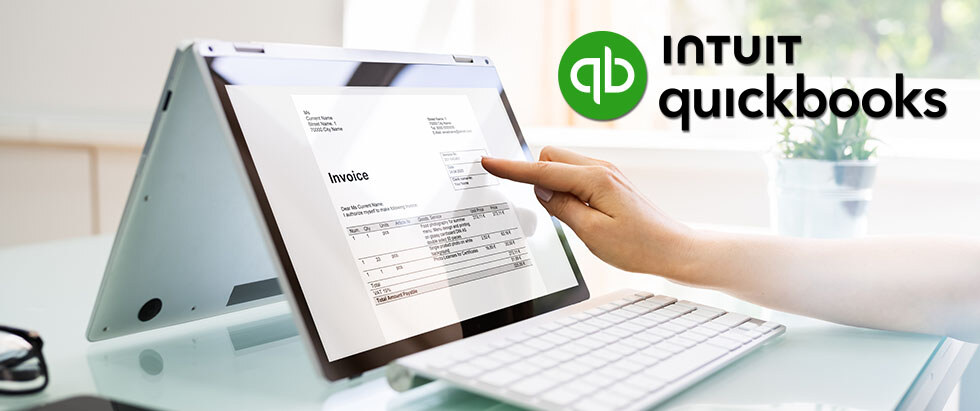
With QuickBooks Online, employees can send invoices, run payroll, and reconcile accounts from a phone or tablet anywhere in the world. It also provides an easy way for business owners to share access to their books remotely, enabling your accountant to have quicker turnaround on answering questions and fixing problems. To help cut down on redundant financial data entry, QuickBooks Online connects with...
